Product comparisons
TodoNote vs Bear
Begin with the work, or begin with a note.
TodoNote starts with a task you can plan by day, write inside, and complete while keeping its note. Bear starts with a Markdown note where you can write, organize with tags, and add a checklist. Both let you keep thinking and next steps together; choose whether your day revolves around scheduled tasks or the notes you are building.
Choose TodoNote for
Plan daily tasks, write the working notes, and keep what you learn.
Choose Bear for
Write Markdown notes, organize with tags, and add checklists where needed.
At a glance
| What matters | TodoNote | Bear |
|---|---|---|
| Starting point | Create a task with a completion state, then build the working note inside it. | Create a note for ideas, documents, or reference material, and add a checklist when there is something to do. |
| Daily planning | Built-in task planning by day, with today and upcoming work together. | Use the Todo section to find notes with unfinished checklist items. You can use dates in note text or tags to organize your own plan. |
| Working notes | Each task opens into an editable note for ideas, drafts, and decisions. | Write Markdown notes with headings, tables, images, attachments, and links to other notes. |
| Next steps | Create subtasks inside the note, with their own date planning and completion states. | Add todo checkboxes in a note and check them off as you work. Todo and search help locate notes containing unfinished items. |
| After the work is done | Completing a task keeps its note. Tags help you return to useful records across active and completed work. | Check off the todo items and keep the note as reference material. Tags and search help you find it again. |
| Topic organization | Use tags to collect related tasks and notes, including nested topic tags. | Apply multiple tags to a note and organize them hierarchically with nested tags. |
| Platforms and sync | Web access, plus desktop apps for Apple Silicon Mac and Windows x64. Mobile users can use the web app; sign in to sync tasks and notes. | Native apps for Mac, iPhone, and iPad, with iCloud sync through Bear Pro. Bear Web complements the native apps with browser access to notes. |
The same work, two approaches
Take an onboarding rollout: plan the work, write the proposal, and return to the record after completion.
-
Plan the rollout
TodoNoteCreate a task for the onboarding rollout and place it on the day you will work on it.
BearCreate an onboarding rollout note. Write the goal and planned date, then add a topic tag to keep it organized.
-
Work through the details
TodoNoteWrite observations and the rollout proposal in the task. Add follow-up tasks for user trials and copy checks.
BearWrite the proposal in the note and add checkboxes for user trials and copy checks. Open Todo to find notes that still contain unfinished steps.
-
Return to the record
TodoNoteComplete the task when the work is done. Keep its topic tag so the note remains part of the records you can revisit.
BearCheck off the remaining steps and leave the proposal and findings in the note. Return to it through its topic tag or search.
Inside TodoNote
The plan and the thinking live together.
A product thought from Maya’s team meeting becomes a note under Areas/Product. Keep useful thinking connected to the work, then return to it by topic.
See how to write a working note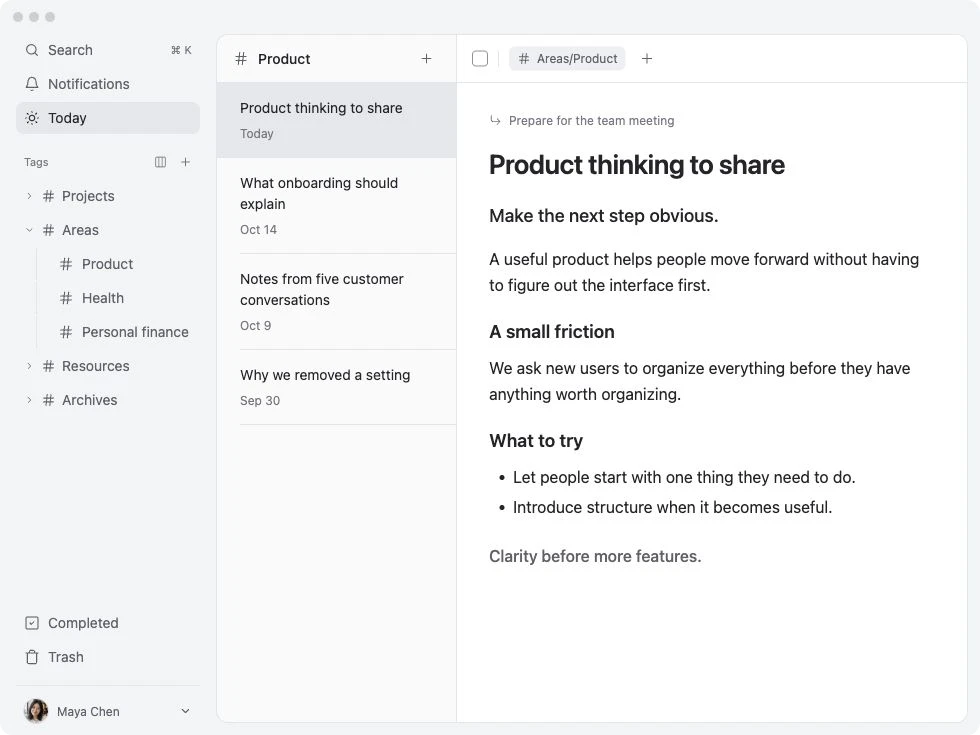
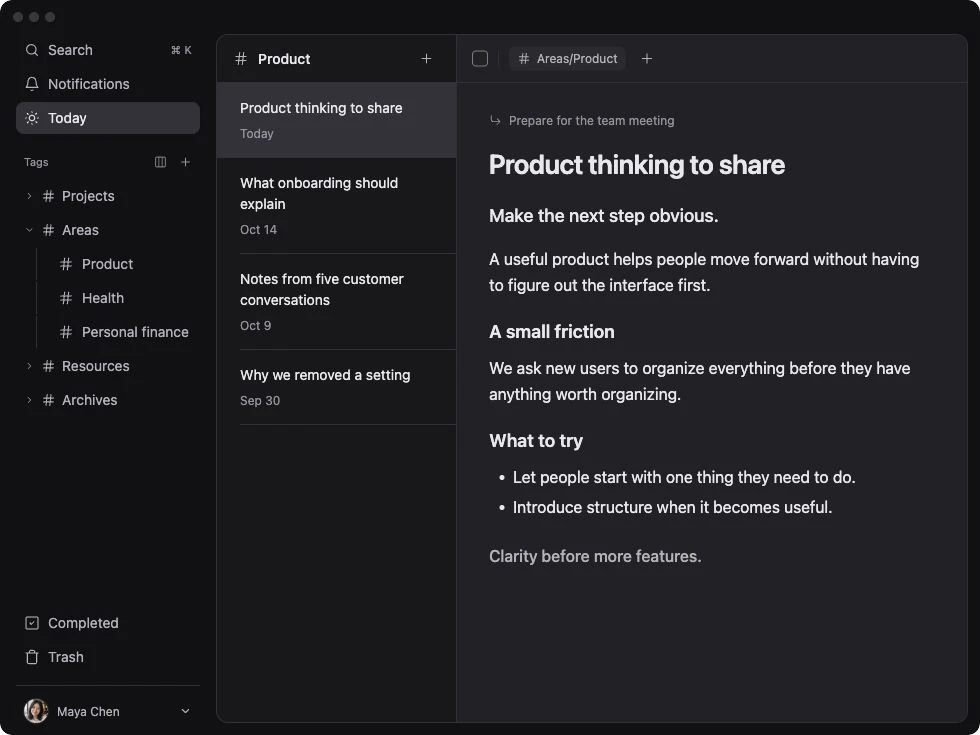
TodoNote demo workspace · a note from preparing a team meeting
Find your fit
Both approaches can keep a plan, a checklist, and a useful record together. Try TodoNote if each next step needs a place in your daily task plan. Consider Bear if the note is your main workspace and checkboxes give you enough task tracking. If your current notes already support the way you work, you may not need to move them.
Choose TodoNote for
- You usually begin with a task you want to work on today.
- You want follow-up steps to have their own dates and completion states.
- You want useful notes to grow from the work you do.
Choose Bear for
- You mainly write, collect references, or build a collection of Markdown notes.
- You prefer organizing notes with multiple and nested tags.
- Checklist items inside notes are enough for your task tracking.
Questions before you choose
Can Bear manage todos inside notes?
Yes. Bear supports todo checkboxes, a Todo section for notes with unfinished items, and searches such as @todo. TodoNote also keeps the work and its context together, with tasks you can plan by day and subtasks you can track separately.
Do both apps support nested tags?
Yes. Bear uses tags to organize notes and supports nested tags. TodoNote uses tags to collect related tasks and notes, including completed work. The main distinction here is whether you organize around notes with checklists or tasks with note bodies.
Should I move all my Bear notes to TodoNote?
Start with one active piece of work that needs a date, written context, and follow-up steps. Keep using Bear for notes that already serve you well. If TodoNote helps you plan and resume that work, you can decide which working records belong there.
Try it with one real task.
Write the context, add the next step, and see whether you can pick up the work tomorrow.
Start for free